
Ecommerce Category Page SEO: Structure, Content and Examples
-
Mahabul Islam
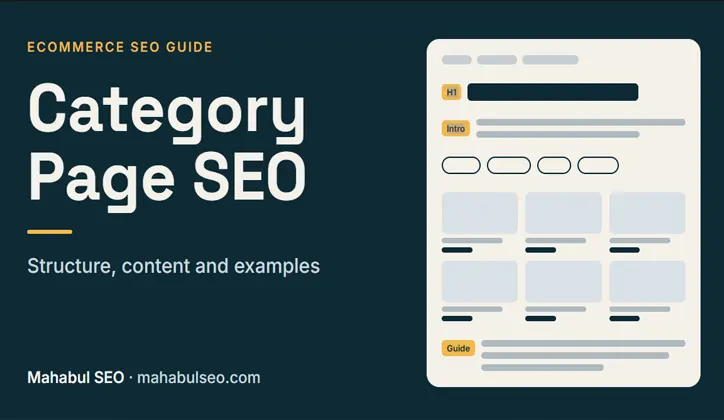
An ecommerce category page performs best when it matches a broad buying search, shows the right products first, helps shoppers choose, links clearly from the rest of the store, and is technically clean. Give each category one primary keyword, write a plain title and H1, put a short helpful introduction above the products and a fuller buying guide below them, and keep Product structured data on product pages. This guide is part of my ecommerce SEO guide, and it uses no made-up numbers. The examples are illustrations, not client results.
What a Category Page Is For
Category pages usually answer broad buying searches such as women’s trail running shoes. Product pages answer specific ones, and guides answer research questions. Before you optimize, check what the results page rewards for that query:
| Query | Likely best page | What to check first |
|---|---|---|
| women’s trail running shoes | Category page | Do results show product grids and shopping listings? |
| how to choose trail running shoes | Buying guide | Do results show articles and comparisons? |
| Brand X Model 5 size 8 | Product page | Do results show specific product pages? |
If the results are mixed, you may need both a category page and a guide, linked to each other. My guide to search intent optimization shows how I read a results page.
The Anatomy of a Strong Category Page
This is the order I use from top to bottom. The word ranges are my rules of thumb, not Google requirements:
| Element | What it does | My rule of thumb |
|---|---|---|
| Breadcrumbs | Show where the category sits and link up the hierarchy | Always |
| H1 | Names the category in plain words | One per page, matches the target keyword |
| Short intro | Says who the category is for and how to use the filters | About 30 to 80 words, above the products |
| Filters and sorting | Help shoppers narrow the list | Only filters people actually use |
| Product grid | Shows name, image, price and availability clearly | Products first, with real links |
| Pagination | Lets crawlers and shoppers reach every product | Unique URLs and plain links |
| Buying guide | Helps shoppers choose and answers common questions | About 150 to 400 words below the products, only if it is genuinely useful |
| FAQ | Answers the questions shoppers ask before buying | Visible content, no markup needed |
| Related links | Send shoppers to subcategories, related categories and guides | Descriptive anchor text |
Step 1: One Keyword Per Category and a Cannibalization Check
Start from the keyword map in my ecommerce SEO guide: every target query has one primary page. Then check what is really happening in Search Console:
- Open Performance, then Search results.
- Click Queries and select the query you care about.
- Open the Pages tab. If two or more of your category pages share impressions for that query, they are competing.
- Decide which page should be primary. Either merge the pages, or give each a clearly different job; for example, a broad category and a specific subcategory and link them to each other.
Step 2: Title, Meta Description, H1 and URL
Google can rewrite how a title appears in results, but a clear title is still where you start. Formulas I use:
| Element | Formula | Limit |
|---|---|---|
| SEO title | Category name + one modifier shoppers use + brand | 60 characters or fewer |
| Meta description | What is in the category + how it helps + a plain next step | 155 characters or fewer |
| H1 | The category name in plain words | One per page |
| URL | Short and readable, with the category name | Stable and without parameters |
Illustration (a made-up store, character counts verified):
- Title (43 characters):
Women's Trail Running Shoes | Example Store - Meta description (133 characters):
Shop women's trail running shoes by terrain, cushioning and fit. Compare options, check sizing guidance and see current availability. - H1: Women’s Trail Running Shoes
- URL:
/womens-trail-running-shoes/
Google generally does not use the URL structure to understand your hierarchy. It analyzes the links between pages. So keep URLs clean for people, but make sure the category is actually linked from your menu and from related pages.
Step 3: Layout: Products First, Content Second
Shoppers arrive wanting to see products. A short introduction above the grid helps them orient, and a longer buying guide below the grid helps them decide. Google has no rule about text above or below products, so this is my approach:
| Weak layout | Stronger layout |
|---|---|
| H1, then 500 words of text, then products far down the page | H1, then a short intro, then filters and products |
| Keyword-filled paragraph repeated on every category | Intro written for this category only |
| Filters hidden or too many | The few filters shoppers use |
| No guide, no related links | Buying guide and related categories below the products |
An illustrative intro (36 words): “Trail running shoes add grip, protection and stability on dirt, rocks and mud. Use the filters to narrow by terrain, cushioning and fit, or read the buying guide below if you are choosing your first pair.”
My content layout optimization process shows how I structure a page so the layout helps readers.
Step 4: Helpful Content for the Category
In the buying guide, answer the questions a shopper asks before choosing:
- Who is this category for, and who is it not for?
- What are the three to five criteria that matter most (fit, material, use, budget)?
- How do the subcategories differ?
- What sizing or compatibility information prevents returns?
- Which products suit common needs? Link to them.
Make it non-commodity. Google’s generative AI guide separates generic content that repeats common knowledge from content with something new in it. For a category, that can be your own testing, measurements, fit notes, photos or honest trade-offs.
Avoid:
- Keyword-stuffed blocks and the same paragraph copied across categories.
- Mass-produced text for every variation of a query. Google’s guide says this can violate its scaled content abuse policy.
- Claims you cannot support, such as shipping or return promises you do not offer.
FAQs are useful when they answer real pre-purchase questions. Google ended FAQ rich results on May 7, 2026, so write them as visible content and do not add FAQ markup expecting visible results in Google. To refresh existing category text, see my guide to optimizing existing content for AI search.
Step 5: Internal Links and Breadcrumbs
- Link your main categories from the menu and the home page.
- Link subcategories and related categories from each category page, with descriptive anchor text such as women’s trail running shoes instead of click here.
- Link to your best-selling products and to the buying guide.
- Show breadcrumbs on category and product pages so every product leads back up to its category. Google has a breadcrumb structured data guide if you want to add the markup.
- Link to the category from relevant blog posts and buying guides.
Step 6: Technical Checks for Category Pages
| Check | What to do | Why |
|---|---|---|
| Product structured data | Keep Product markup on product pages, not on category pages | Google says product rich results support pages focused on a single product, and recommends markup on product pages instead of pages that list products or a category of products |
| Real links | Link products and pages with <a href> |
Google does not click buttons, so a load-more button alone may hide products |
| Pagination | Give each page its own URL and its own canonical, not page 1 | This is Google’s pagination guidance |
| Filters and sorting | Prevent crawling of filter combinations nobody searches for | Filters are the most common source of overcrawl, according to Google |
| Initial HTML | Put key content and links in the page’s initial HTML | Content that depends on scripts can be crawled less reliably |
| Mobile and speed | Check mobile layout and loading on category templates | Category pages are often the heaviest pages |
The filter and pagination rules are explained in my ecommerce SEO guide, and I will cover filters in detail in a separate faceted navigation guide this month.
Step 7: Thin Categories: Keep, Merge or Noindex
A thin category has few products, little demand, or both. This is my decision table a rule of thumb, not a Google rule:
| Situation | What I usually do |
|---|---|
| Few products but people search for it | Keep it, and add a helpful intro and links to related categories |
| Few products and no search demand, but useful to shoppers | Keep it for users, and consider noindex so it stays out of search |
| Overlaps heavily with another category | Merge it into the stronger page and redirect |
| Temporarily empty because the stock is gone | Keep it and say when products return, or link to alternatives |
| Permanently empty | Redirect to the closest category, or return a not-found response |
Noindex keeps a page out of Google Search, so use it deliberately.
Step 8: Measure what you change
Category pages are easy to measure. Use the category regex filter from my ecommerce SEO guide, then log every change:
| Date | URL | What I changed | Baseline (clicks, impressions, CTR, position) | After 28 days |
|---|---|---|---|---|
| (date) | (category URL) | (title, intro, links) | (from Search Console) | (from Search Console) |
Change one thing at a time where you can, wait several weeks, and compare the same date range. Compare against enquiries or sales in your store’s own data, because Search Console cannot show revenue.
Category page scorecard
Give each item one point. This is my own checklist, not a Google score:
- The category has one primary keyword that no other page targets.
- The title and H1 are plain and specific.
- A short intro sits above the products.
- Products appear before long text.
- Filters are limited to the ones people use.
- Each paginated page has its own URL and canonical.
- Products are linked with real links.
- Breadcrumbs and subcategory links are present.
- A helpful buying guide or FAQ answers real questions.
- No Product structured data on the category page, and nothing invented.
A score of 8 or above means the page is in decent shape. Below that, fix the missing items starting with the first five.
Common mistakes
- Giving two categories the same primary keyword.
- Burying products under long text, or filling the page with the same text as other categories.
- Adding Product schema with prices to a category listing page.
- Canonicalizing every paginated page to page 1.
- Letting every filter combination create a crawlable URL.
- Using a load-more button with no crawlable links.
- Noindexing categories without checking whether they have search demand.
- Changing many things at once and not recording a baseline.
FAQs about Ecommerce Category Page SEO
How long should category page content be?
There is no official length. As a rule of thumb, I keep the intro short (about 30 to 80 words) and add a buying guide of about 150 to 400 words below the products only when it genuinely helps shoppers.
Should I put text above or below products?
Google has no rule. I put a short intro above the products so shoppers see the products quickly, and the fuller guide below.
Can I noindex thin categories?
Yes, but do it deliberately. Noindex keeps the page out of Google Search. First check whether people search for it, and consider merging it with a stronger category instead.
Should category pages have Product schema?
No. Google says product rich results are for pages focused on a single product, and recommends adding the markup to product pages instead of pages that list products or a category of products.
Do I need FAQ schema on category pages?
No. Google ended FAQ rich results on May 7, 2026. Visible FAQs still help shoppers.
Related guides
This month I am also publishing guides on ecommerce keyword research, product page SEO, faceted navigation and product schema. I will link them here as they go live. If you want an independent review of your store, see my ecommerce SEO services or request a free audit.