

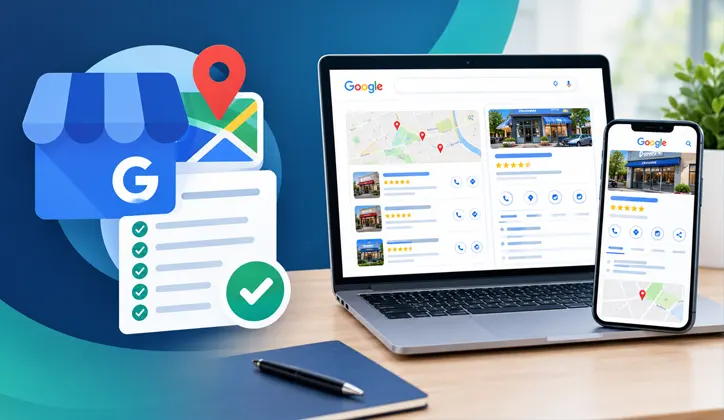
A Google Business Profile (GBP) can be one of the most valuable assets for a local business trying to get found on Google Search and Google Maps. But creating a profile and filling in a few fields does not mean it is properly optimized. A strong Google Business Profile should clearly tell Google and potential customers what your business does, where you operate, what services you provide, and why someone should consider your business.
I have been working in SEO for 4 years, including local SEO and Google Business Profile optimization. From my hands-on experience, the biggest mistakes are usually not complicated technical issues. They are things like incorrect categories, incomplete services, outdated business information, weak website alignment, poor review management, and trying to manipulate the profile with keywords.
This Google Business Profile optimization checklist covers the important areas I would review when auditing a local business.
Important: Google does not guarantee a specific Maps or Local Pack position. Google says local results are mainly influenced by relevance, distance, and prominence.
Google Business Profile Optimization Checklist at a Glance
Before going through every section, use this quick checklist to see whether your profile is complete:
- Business Profile is claimed and verified
- Business name matches the real-world business name
- Primary category accurately represents the business
- Relevant secondary categories are selected
- Address or service area is accurate
- Phone number is correct
- Website URL is correct
- Business hours are up to date
- Special hours are updated when necessary
- Business description clearly explains what the business does
- Services are complete and accurate
- Relevant attributes are added
- High-quality real business photos are uploaded
- Customer reviews are being requested legitimately
- Reviews are answered appropriately
- Website information matches the GBP
- Local citations and business information are consistent
- Duplicate profiles have been checked
- GBP performance is being monitored
- Calls, website visits, leads, and customers are being tracked
The rest of this guide explains what each item means, what to check, and what to avoid.
What Is Google Business Profile Optimization?
Google Business Profile optimization is the process of making your business information on Google as accurate, complete, relevant, and useful as possible for both customers and Google’s local search systems. Your Business Profile can appear across Google Search and Google Maps when people look for businesses or services relevant to what you offer.
For example, a person might search:
- roofing contractor near me
- emergency plumber
- dentist in Dallas
- home care agency near me
- Italian restaurant
- car repair shop
Google then tries to return businesses that best match the search and the user’s location.
Google’s own explanation identifies three major factors behind local results:
- Relevance — how well the business matches what the person searched for.
- Distance — how far the business is from the searcher or the relevant location.
- Prominence — how well-known or established the business is, based on information Google has about it, including signals such as links and reviews.
That is why GBP optimization should not be treated as simply filling out a form. The goal is to make the business information clear and trustworthy, while making sure the profile accurately reflects the actual business.
Google Business Profile Optimization Checklist
1. Claim and Verify Your Google Business Profile
Before optimizing anything, make sure the business has claimed and verified its Google Business Profile. Google says verification confirms that you are authorized to represent the business and can help the profile appear in local search.
Checklist
- Business Profile has been claimed
- Business has completed Google’s verification process
- Correct business owner or authorized representative has access
- Old or duplicate profiles have been checked
- Business information is controlled by the actual business
If an SEO professional manages the profile, the actual business owner should still have appropriate ownership or access.
2. Use the Real Business Name
Your Google Business Profile name should represent the business’s actual real-world name.
For example:
Correct:
Smith Roofing
Potentially problematic:
Smith Roofing – Best Roofing Company in Dallas – Roof Repair Near Me
Adding keywords to a business name simply because they may be searched is not a safe optimization strategy.
Google’s guidelines say the business name should reflect how the business is represented and recognized in the real world. Unnecessary information in the business name is not permitted and can create problems for the profile.
My recommendation
Do not try to turn the business name field into an SEO title. Use the actual business name. Put services, categories, locations, and other relevant information in the fields designed for those purposes.
3. Choose the Most Relevant Primary Category
The primary category is one of the most important parts of your profile because it helps describe what the business actually is. Google recommends choosing a specific category that reflects the business’s core offering. It also recommends using as few categories as necessary rather than adding every remotely related category.
For example, if the business is genuinely a roofing contractor, a roofing-specific category is generally more useful than a vague category such as “Contractor,” assuming the relevant category is available.
Before selecting a category, ask:
- What is the business primarily known for?
- What does it actually sell or provide?
- Which category most accurately completes the statement: “This business IS a…”?
- Is the category available in Google’s category list?
- Are competitors using a category that genuinely describes their businesses?
Do not select a category only because another competitor has it. Google’s own guidance specifically says categories should describe what the business is, rather than simply what it has or every service it provides.
Watch my video: How to Choose and Add the Right Google Business Profile Category
4. Add Relevant Secondary Categories
Secondary categories can help describe other genuine aspects of the business, but more categories do not automatically mean better optimization. Google specifically recommends using the fewest categories needed to describe the overall core business.
So don’t add a category just because:
- a competitor uses it
- it contains an important keyword
- you want to target another service
- someone told you to add as many categories as possible
Every category should genuinely represent the business.
5. Make Your Business Information Complete and Accurate
Go through every important information field.
Check:
| GBP Information | What to Check |
|---|---|
| Business name | Matches the real-world business |
| Address | Accurate, if customers visit the location |
| Service area | Reflects where the business genuinely serves |
| Phone | Current and working |
| Website | Correct destination |
| Hours | Current |
| Special hours | Updated when needed |
| Category | Accurate |
| Attributes | Relevant |
| Services | Complete and accurate |
Google recommends keeping Business Profile information complete and up to date because accurate information helps customers understand what the business does, where it is, and when it is available. This sounds basic, but in real SEO work, outdated information is surprisingly common.
A business can change its:
- phone number
- opening hours
- services
- service areas
- website
- physical location
while the Google Business Profile remains unchanged for months. That is why GBP optimization should be treated as an ongoing process rather than a one-time setup.
6. Write a Useful Business Description
Your business description should help a potential customer understand the business.
A useful description can explain:
- what the business does
- which services or products it provides
- who it serves
- what makes the business different
- relevant business history or background
Google’s guidelines say the description should provide useful information about the services and products offered, as well as the business’s mission and history. It should be honest, relevant, and useful to customers. Google also says links should not be included in the business description.
Avoid writing this:
Best #1 roofing company near me with the cheapest roofing services and best roof repair in Dallas.
It sounds written for a search engine rather than a customer. Instead, explain the business naturally.
My practical approach
Before writing the description, look at the actual language customers use.
For example, if Search Console, customer enquiries, reviews, or sales conversations repeatedly use terms such as:
- roof repair
- roof inspection
- storm damage repair
- leaking roof
Those terms can help you understand how customers describe their problems. The goal isn’t to force keywords into the description. The goal is to describe the business in the language customers actually understand.
Watch my video: How to Write a Better Google Business Profile Description
7. Add and Optimize Your Services
For service-area businesses, the Services section deserves special attention. Make sure your profile includes the services the business actually provides.
For example, a roofing company might offer:
- Roof Repair
- Roof Replacement
- Roof Inspection
- Storm Damage Roof Repair
- Commercial Roofing
Only add services that are genuinely offered. Google allows businesses in supported categories to add services, descriptions, and, where applicable, prices.
Connect GBP Services With Website Pages
A strong local SEO setup should make sense across both the profile and the website.
For example:
| GBP Service | Website Page |
|---|---|
| Roof Repair | /roof-repair/ |
| Roof Replacement | /roof-replacement/ |
| Roof Inspection | /roof-inspection/ |
This makes the relationship between the business, its services, and its website clearer.
Watch my services tutorial
Google Business Profile Services: কীভাবে সঠিকভাবে Add করবেন?
8. Set Your Service Area Correctly
Service-area businesses such as plumbers, roofers, electricians, HVAC companies, cleaning companies, and contractors should pay close attention to their service areas.
Only include locations the business genuinely serves.
Don’t add dozens of cities simply because you want to rank there.
Google’s guidelines require businesses to accurately represent their address and/or service area.
A simple question can help:
Would this business genuinely accept and serve a customer from this location?
If not, don’t represent that location as a service area.
9. Keep Business Hours Accurate
Incorrect opening hours create a bad customer experience.
A customer may find your profile, travel to the location, and discover that the business is closed.
Check:
- Regular opening hours
- Closing hours
- Weekend hours
- Holiday hours
- Temporary closures
- Special hours
- Additional hours where applicable
Google provides specific guidance for regular, special, seasonal, and other types of business hours.
Important
Don’t set 24-hour availability unless the business actually operates that way. Your GBP should reflect reality, not what you wish customers would see.
10. Add Real, Useful Photos and Videos
Photos are important because they help customers understand what the business looks like and what it actually offers. Google recommends adding photos and videos to show customers what the business offers and to tell the story of the business.
Depending on the business, consider adding:
- Logo
- Cover image
- Exterior
- Interior
- Team members
- Products
- Completed projects
- Work in progress
- Before-and-after images
- Equipment
- Vehicles
- Office or storefront
- Service-related images
For a contractor, for example, real project photos can be much more useful to a potential customer than generic stock photography.
What I would avoid
- Stock photos pretending to represent the business
- Irrelevant images
- Misleading images
- Extremely low-quality photos
- Photos that have nothing to do with the business
The purpose is not simply to increase the number of uploaded images. The purpose is to give customers a more accurate picture of the business.
Watch my video: What Photos Should You Upload to Google Business Profile?
11. Build Genuine Customer Reviews
Reviews are important for both reputation and local visibility. Google says prominence is one of the factors used for local results and notes that reviews and positive ratings can help a business’s local ranking. But don’t turn review generation into a numbers game.
The sustainable approach is:
Real customer → Real experience → Honest review → Professional response
Avoid:
- Buying reviews
- Creating fake reviews
- Asking people who never used the business to review it
- Manipulating customers into leaving misleading reviews
The goal should be to build genuine customer trust.
12. Respond to Your Reviews
Getting reviews is only part of reputation management. You should also monitor and respond to them.
For positive reviews:
Thank the customer naturally.
For negative reviews:
- Stay professional
- Acknowledge the concern
- Avoid arguing publicly
- Don’t reveal private customer information
- Move the conversation toward an appropriate resolution
A response doesn’t need to be a paragraph stuffed with keywords. It needs to sound like a real business talking to a real customer. Google specifically recommends responding to reviews and notes that helpful responses can help a business stand out.
13. Keep Your Business Information Consistent Across the Web
Your Google Business Profile should not exist in isolation.
Compare the information on your:
- Website
- Google Business Profile
- Business directories
- Local citations
- Social profiles
- Industry directories
Pay particular attention to:
Name + Address + Phone number
Often referred to as NAP. But don’t stop there.
Check:
- Website URL
- Business hours
- Service information
- Business description
- Location information
Consistency helps avoid confusion for users and search systems.
My practical audit approach
When auditing a local business, I don’t look at the GBP alone. I compare the profile against the business website and other important business mentions to identify inconsistencies. That is much more useful than simply checking whether a profile has been “filled out.”
14. Align Your Website With Your Google Business Profile
This is one of the most overlooked areas of GBP optimization. Your Google Business Profile and your website should tell the same story.
Your GBP and website should tell the same story.
If your GBP lists:
Roof Repair
Roof Replacement
Roof Inspection
your website should ideally provide useful information about those services too.
Check that your website clearly communicates:
- What the business does
- Where it operates
- Which services it provides
- How customers can contact it
- Relevant business information
This is where GBP optimization connects with broader local SEO.
GBP helps people discover the business. The website helps them understand the business and take action.
15. Review Your Local Competitors
Don’t copy competitors. Study them. When I perform a local SEO audit, competitor research can help reveal what the market looks like and where a business may be weak.
Look at:
- Primary categories
- Services
- Review volume and quality
- Website structure
- Location relevance
- Photos
- Business information
- Local content
- Local authority signals
But don’t assume:
“My competitor does it, therefore Google rewards it.”
That isn’t a safe conclusion. Competitor research should help identify opportunities and gaps—not turn another business’s profile into your template.
16. Track GBP Performance
Optimization without measurement makes it difficult to know what actually improved. Depending on the business and available data, monitor things such as:
- Calls
- Website visits
- Direction requests
- Profile interactions
- Search visibility
- Local rankings
- Review growth
- Leads
- Customers
But remember:
More profile interactions do not automatically mean more revenue.
For a service business, the more meaningful journey is:
Search → Profile → Website/Call → Lead → Customer
If you are doing local SEO for a business, connect your reporting to business outcomes whenever possible.
Google Business Profile Optimization Priority Checklist
Not every task deserves the same amount of attention.
Here’s how I would prioritize a typical audit:
| Priority | Area | What to Check |
|---|---|---|
| High | Business information | Accuracy and completeness |
| High | Primary category | Correct representation of the business |
| High | Services | Accurate and complete services |
| High | Reviews | Genuine reviews and responses |
| High | Service area | Actual service locations |
| Medium | Website alignment | GBP and website consistency |
| Medium | Photos | Useful, authentic business images |
| Medium | Secondary categories | Relevant categories only |
| Supporting | Hours | Current and accurate |
| Supporting | Attributes | Relevant information |
| Supporting | Performance tracking | Calls, visits, leads and customers |
This is a practical prioritization framework, not Google’s official ranking formula.
Google does not publish a numerical weighting for each optimization task. Its official documentation instead explains local ranking primarily through relevance, distance, and prominence.
Google Business Profile Mistakes to Avoid
1. Keyword Stuffing the Business Name
Don’t turn:
ABC Plumbing
into:
ABC Plumbing – Best Plumber Emergency Plumbing Near Me
Use the real business name.
2. Adding Irrelevant Categories
Don’t add categories simply because they contain valuable keywords. Choose categories that accurately represent the business. Google explicitly recommends using as few categories as necessary to describe the core business.
3. Creating Fake Locations
Don’t create a profile or location simply to appear closer to customers in an area where the business isn’t legitimately represented. Accurate location information matters.
4. Buying or Creating Fake Reviews
Fake reviews can damage trust and create policy problems. Build reviews from real customer experiences.
5. Using the Same Generic Strategy for Every Business
A dentist, restaurant, roofer, lawyer, ecommerce store, and home care provider should not receive exactly the same GBP strategy.
- The business model matters.
- The customer journey matters.
- The location matters.
- The services matter.
- The competitive environment matters.
6. Optimizing Once and Forgetting About the Profile
Business information changes, so the profile needs ongoing attention.
Google’s guidelines emphasize accurate representation, correct service areas, appropriate categories, and compliance with Business Profile policies. Violations can lead to content restrictions or loss of profile access.
Google Business Profile Optimization and AI Search
Local search is also becoming more conversational.
People don’t always search with a simple phrase such as:
“plumber near me”
They may ask:
“Who can fix a leaking water heater near me?”
or:
“What’s the best company for emergency roof repair in my area?”
This is one reason I don’t recommend writing GBP information purely around isolated keywords.
Your business information should clearly communicate:
- What you do
- Who you help
- Where you operate
- Which services you provide
- What makes the business relevant to the customer
Clear information is useful not only for traditional search but also for modern search experiences where systems need to understand entities, services, locations, and relationships. However, I would not claim that adding a particular keyword to your GBP description automatically makes an AI system recommend your business.
There is no reliable basis for making that promise. The practical goal is simpler:
Make your business information clear, accurate, consistent, and useful wherever customers and search systems encounter it.
A Simple GBP Checklist for Business Owners
If you don’t have time to read the entire guide, start here.
Business Information
- Real business name
- Correct phone
- Correct website
- Accurate address/service area
- Correct hours
Categories
- Accurate primary category
- Relevant secondary categories
- No unnecessary categories
Services
- Main services listed
- Services accurately described
- GBP services match website services
Reputation
Genuine customer reviews
Reviews monitored
Reviews answered professionally
Visuals
- Real business photos
- Exterior/interior where relevant
- Team or project photos
- Service/product photos
Website
- GBP and website information matches
- Relevant service pages exist
- Contact information is clear
- Location/service information is accurate
Monitoring
- Calls monitored
- Website visits monitored
- Leads tracked
- Local visibility reviewed
- Profile updated when the business changes
FAQs about Google Business Profile Optimization Checklist
What is Google Business Profile optimization?
Google Business Profile optimization is the process of making your business information accurate, complete, relevant, and useful across Google Search and Maps. It includes categories, services, business information, hours, service areas, photos, reviews, and website alignment.
How do I optimize my Google Business Profile?
Start by verifying the profile and ensuring the real business information is accurate. Then select the correct category, add relevant services, maintain accurate hours and service areas, upload real photos, manage genuine reviews, and make sure the website supports the same business information.
Do Google reviews help local rankings?
Google says prominence is one of the main local ranking factors and notes that reviews and positive ratings can help local ranking. Reviews also play an important role in customer trust.
How do I choose the right GBP category?
Choose the most specific category that accurately represents what the business is. Google recommends using as few categories as necessary to describe the core business.
Should I add keywords to my business name?
No. Use the business’s real-world name. Adding unnecessary keywords or information to the name can violate Google’s guidelines.
Does posting on Google Business Profile guarantee better rankings?
No. Google does not publish a rule saying that posting at a specific frequency guarantees higher local rankings. Posts can be useful for communicating with customers, but they should not be treated as a guaranteed ranking shortcut.
Can GBP optimization guarantee a #1 Google Maps ranking?
No. Google says local results are mainly influenced by relevance, distance, and prominence, and there is no way to request or pay for a better local ranking.
Final Thoughts
Google Business Profile optimization is not about putting a keyword into every available field.
It’s about making the business accurate, understandable, relevant, and trustworthy.
Start with the basics:
Correct business information → Right category → Accurate services → Real photos → Genuine reviews → Consistent website information → Local SEO → Measurement
Then improve the areas that actually need attention.
After four years of working in SEO, this is the approach I prefer: don’t look for one shortcut that supposedly makes a profile rank. Understand the business, understand the search intent, audit the local competition, fix the real gaps, and measure the outcome.
That’s what turns a Google Business Profile from a basic business listing into a useful part of a local SEO strategy.
If you’re not sure what is holding your Google Business Profile back, a proper audit can help identify the issues that deserve attention first.
Want to audit your GBP Profile totally free? Book a Free Google Business Profile Audit