

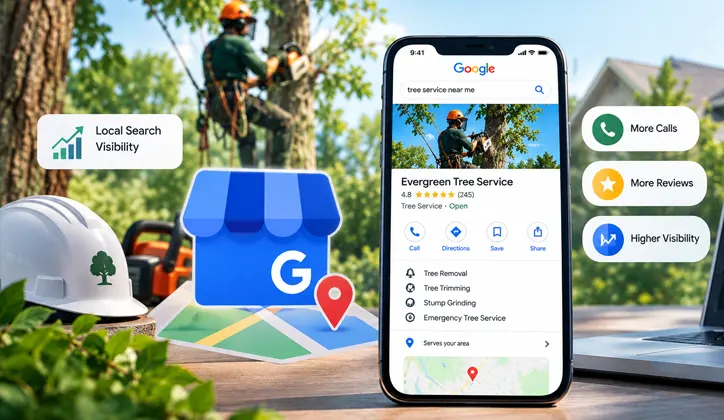
Optimising a tree service Google Business Profile can help tree care businesses improve how they present their services on Google Search and Google Maps. For tree service companies competing for local customers, an accurate profile, relevant service information, genuine customer reviews, and a well-maintained website can strengthen their local search presence.
Whether you provide tree removal, tree trimming, stump grinding, or emergency tree services. In this guide, I’ll explain how tree service companies can optimise their Google Business Profile, fix common local SEO issues, build customer trust, and measure performance with practical steps aligned with Google’s guidelines.
What Is a Google Business Profile, and Why Does It Matter for Tree Companies?
A Google Business Profile (GBP) is the free listing that controls how your company appears in Google Search and Google Maps. For a tree service, it is often the first thing a homeowner sees: your rating, phone number, hours, photos and services.
Google ranks local results on three factors: relevance (how well you match the search), distance (how close you are) and prominence (how well known and trusted you are). A full, accurate profile helps relevance. Reviews and a strong website help prominence.
Before You Start: Claim, Verify and Check for Duplicates
First, make sure you control one profile for your company, and that it is verified.
- Search your company name and phone number on Google. If a profile exists, claim it instead of creating a new one.
- If you find duplicates, request removal or merging through Google’s support options in the profile. Do not leave duplicates live.
- Complete verification. Google offers different methods (such as phone, text, email or a video or live video call) depending on the business. Use only the method Google offers you.
- Make sure only trusted people have access, and that you (the owner) hold the primary owner role.
A caution on edits: significant changes to name, address or category can trigger re-verification or a review. Make changes deliberately, one area at a time, and keep a record of what you changed and when.
Step 1: Use Your Real Business Name
Enter your name exactly as it appears on your truck, invoices and signage. Adding keywords like “Best Tree Removal Raleigh” breaks Google’s guidelines and risks suspension. If your legal name and public name differ, use the one customers actually see.
Step 2: Choose the Right Categories
Pick the single category that best describes your main work, then add secondary categories only for services you truly provide.
| Role | What to choose |
|---|---|
| Primary category | Your main service, for example “Tree service” if it fits your business |
| Secondary categories | Closely related services you offer, such as Service establishment, Landscaper and available to your location. |
| Avoid | Landscaping, forestry or other categories unless they describe real operations |
Category names vary by country and change over time, so check the live list inside your profile. To see what competitors use, open the top three map results for “tree service near me” and compare their categories with a Local SEO extension or tool like GMB Everywhere or BrightLocal.
Step 3: Set Your Address and Service Area Correctly
If customers do not visit your yard or office, hide your address and list the areas you actually serve. Google calls this a service-area business.
Example: a company based in Raleigh, NC that regularly works in Raleigh, Cary and Garner should list those towns, not every city in the state. Adding far-away areas does not make you rank there, because distance still matters. You can add up to 20 service areas to your Google Business Profile.
- One profile for one central location. Separate profiles only for genuine separate locations with their own staff.
- Never use a virtual office, a mailbox or a friend’s address.
- Keep service areas consistent with your website’s areas-served page.
Read Google’s Business Profile guidelines for the current rules.
Step 4: Set Hours That Match Real Life
Your hours must match when someone really answers or arrives.
| Situation | What to do |
|---|---|
| Regular business hours | Enter them accurately and update seasonally |
| Holidays and storm weeks | Add special hours in advance |
| Emergency tree service | Mention it only if you can truly respond, and say how (call, on-call crew) in the services list and website |
| “Open 24 hours” | Use it only if a person answers around the clock |
If you use a call-tracking number, make sure your real business number remains listed as an additional number so your business details stay consistent across the web.
Step 5: Write Your Business Description
Explain what you do, where, and why customers can trust you, in plain language, within the 750-character limit. Do not include links, phone numbers or promotional offers, and do not claim anything untrue.
Example: Tree Care provides tree removal, tree trimming, stump grinding and emergency tree service for homeowners and property managers in Raleigh, Cary and Garner. Our crews protect your property, work with the right equipment and clean up when the job is done. We offer free on-site estimates with a clear written price before work begins. Call or request an estimate online to schedule your visit.
This sample is 397 characters. Replace the names and areas, then recount. Add credentials such as “ISA Certified Arborist on staff” or “fully insured” only if true.
Step 6: Add Your Services With Short Descriptions
List each service you really offer, with one or two clear sentences. Customers search for specific jobs, so specific services help them match.
| Service | Sample description |
|---|---|
| Tree removal | Safe removal of dead, diseased, leaning or storm-damaged trees, with cleanup included. |
| Tree trimming | Trimming and pruning to improve tree health and keep branches away from roofs and power lines. |
| Stump grinding | Grinding stumps below ground level so the area can be replanted or landscaped. |
| Emergency tree service | Response to fallen trees and storm damage. Add your real response details. |
| Land clearing | Clearing trees and brush for building or access. Include only if offered. |
Link each service to its own page on your website where the profile allows it. See how to build those pages in the pillar guide.
Step 7: Fill in Attributes, Contact Details and the Website Link
Complete every available detail, then tag your website link so you can see profile traffic in analytics.
- Add attributes that apply to you where offered (for example, online or on-site estimates).
- Use a working phone number and an email customers can reach.
- Link to your homepage or the most relevant service page.
- Add tracking parameters to the website link, for example
?utm_source=google&utm_medium=organic&utm_campaign=gbp, so visits from your profile appear separately in Google Analytics.
Step 8: Upload Real Photos and Videos
Show your crew, trucks, equipment and finished jobs. Authentic photos build trust faster than any text.
| Photo type | How many to start | Notes |
|---|---|---|
| Logo and cover photo | 1 each | Clear, current |
| Crew with branded truck | 3-5 | Real people, safety gear |
| Before and after pairs | 5+ jobs | Same angle, daylight |
| Equipment (chipper, bucket truck, crane) | 3 | Shows capability |
| Cleanup finished | 3 | Homeowners worry about mess |
| Short video of a job | 1-2 | Brief, no private property details |
Get permission before showing customers or identifiable private details. Name files clearly (for example tree-removal-raleigh-after.jpg) and add new photos monthly.
Step 9: Build Reviews the Right Way
Ask every customer, right after the job, with a direct review link. In your profile, find the option to get more reviews and copy your link. Send it by text or email.
After the job (text): “Hi [Name], thanks for choosing [Company] today. If you were happy with the work, a short Google review helps other homeowners find a crew they can trust: [review link]”
Reminder after 3 days (text): “Hi [Name], just a quick reminder in case you have a minute. Your review really helps our small team: [review link]”
Reply to a positive review: “Thank you, [Name]! We appreciated the chance to take care of your [service]. [Crew name] and the team.”
Reply to a negative review: “Thank you for telling us, [Name]. We are sorry this fell short. Please call [phone] so we can understand what happened and make it right.”
Rules: ask all customers, never buy reviews, never offer discounts or gifts for positive reviews, and never write reviews for your own company. Follow Google’s review policies.
Note: This is a sample template for regular use. It may change with future Google updates, and I can’t guarantee better results. It’s just a demo, not a ready-to-use template.
Step 10: Use Posts to Show You Are Active
Post short updates twice a month with a real photo and one clear next step.
| Season | Post idea |
|---|---|
| Spring | “Pruning season: what to trim now” with a job photo |
| Summer | “Storm damage? Here is how to stay safe until we arrive” |
| Fall | “Check hazard trees before winter weather” |
| Winter | “Dormant pruning is an ideal time for many trees” |
Adjust the topics to your region and services. Keep posts accurate, and do not repeat the same text with keywords swapped. To read the full checklist and want to learn more, then read my practical Google Business Profile Optimization Checklist Guide
How Do You Fix Common Profile Problems?
Most problems have a standard fix. Act quickly and keep records.
| Problem | Likely cause | What to do |
|---|---|---|
| Duplicate profile | An old listing or a second owner | Claim or request removal through the profile’s support options |
| Profile suspended | Guideline breach, such as a keyword-stuffed name or an ineligible address | Fix the issue, then use Google’s reinstatement request with proof (license, signage photos) |
| Wrong phone, hours or website | A suggested edit or old data | Correct it in the profile, and check suggested edits regularly |
| Fake or spammy competitor listing | Competitor breaking the rules | Report it with evidence through Google’s tools |
| Unfair or fake review | Not from a real customer | Flag it, reply professionally, and keep building real reviews |
Does Your Website Support Your Profile?
Your profile gets the click, and your website closes the job. Check these items:
- A separate page for each main service, with a clear estimate button
- A tappable phone number on mobile
- Accurate business details that match your profile
- Useful location pages only where you can add real local information
- LocalBusiness structured data that matches visible page content
More on the website side in the Tree Service SEO guide.
How Do You Measure Whether the Profile Works?
Track actions and booked jobs, not only views. Record a baseline before changes, then compare similar periods because demand is seasonal.
| Metric | What it tells you | Where |
|---|---|---|
| Profile interactions (calls, direction requests, website clicks) | How many people took action | Business Profile performance |
| Search impressions and clicks | How your site performs in Google Search | Google Search Console |
| Visits from your profile | Traffic from the tagged link | Google Analytics 4 |
| Qualified enquiries | Real jobs in your area | CRM or lead sheet |
| Booked jobs and revenue | Business outcome | Your records |
A call is not a lead until the caller needs a job you do. Log them separately.
A 30-Day Profile Optimization Plan
| Week | Focus | Actions |
|---|---|---|
| 1 | Foundation | Verify ownership, check for duplicates, fix name, category, phone, website, hours, address and service area |
| 2 | Services and trust | Add services with descriptions, write the description, upload 15-20 photos, set up the review request process |
| 3 | Website link | Tag the website link, review service pages, make the phone number and estimate form easy to use on mobile |
| 4 | Measure | Record profile actions, calls and qualified enquiries; pick the next biggest gap |
This is a working plan, not a ranking promise.
What Mistakes Should Tree Companies Avoid?
- Keywords in the business name. Use your real name.
- A home address shown publicly. Hide it if customers do not visit.
- Irrelevant categories. Choose only what is true.
- Services you do not offer. Accuracy builds trust.
- Bought or incentivized reviews. Earn them.
- Only stock photos. Show real work.
- Fake locations. Never create them.
- Judging success by rank alone. Track calls and booked jobs.
FAQs about tree service Google Business Profile
Does Google Business Profile help tree service companies get more customers?
Yes, a complete and accurate profile can put your company in front of homeowners at the moment they search. The results depend on your location, competition, reviews and how well your services match the search.
What is the best category for a tree service company?
Choose the category that best describes your main work; for many companies this is “Tree service”, if available in your country. Add secondary categories only for services you really provide.
Should I show my address on Google?
No, if customers do not visit your location. Hide it and list your service areas instead, following Google’s guidelines.
How many reviews do I need to rank on Google Maps?
There is no fixed number. Compare the top three results in your area: their review counts and recent review pace show what you need to compete.
How long does it take to see results?
Profile corrections can show within days or weeks; stronger local visibility usually takes longer. Record a baseline and review monthly. To know the proper timeline or an accurate action plan call today for 30 minutes Local SEO free consultaions
Can I rank in every city I add to my service area?
No. Distance and competition still matter. List only areas you truly serve.
Can I use a PO box or virtual office?
No. Google requires a real address for your business, and service-area businesses may hide it. Do not use addresses where you have no staff.
Should I pay for help?
Do the basics yourself, and hire help if you want a full audit, page strategy and monthly reporting. Ask for a written scope and access to your own accounts.
Final Thoughts
A strong tree service profile is simple: the right name and categories, an honest service area, clear services, real photos and steady reviews. Start this week with verification and duplicates, then work through the steps in order and measure calls.
Get a Free Google Business Profile Audit
I will review your profile and send back 7-10 specific fixes including category, service area, services, photos, review process and tracking.
Book a free 30-minute strategy call | Or see my Local SEO service and if you check my recent compete project then see my case studies.
About the Author
Mahabul Islam is an independent SEO consultant who helps local and ecommerce businesses with Local SEO, Google Business Profile optimization, technical SEO and AI search optimization. He works with clients in the US, UK, Singapore, Ireland and the UAE, and has worked in SEO since 2023.