

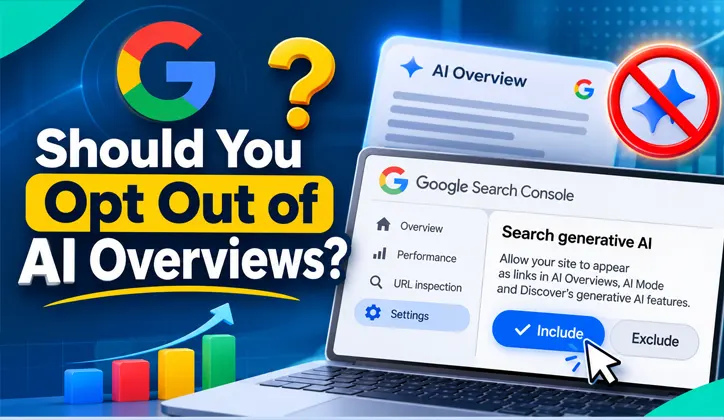
Google’s Search generative AI control is a property-level setting in Search Console (Settings, then Search generative AI). It decides whether your site can appear as links in AI Overviews, AI Mode and Discover’s generative AI features, and whether your content can help ground their answers. The default is Include. For local and ecommerce businesses that want to be found, I normally leave it on Include and simply check that nobody switched it off by mistake. Opting out is a business decision, not an SEO trick.
What the control is and where to find it
- Open Google Search Console and choose your property.
- Open Settings.
- Find the section called Search generative AI.
- Check whether it says Include or Exclude, and take a screenshot with the date.
Here is how it works, based on Google’s help page as reported by Search Engine Journal:
- Include (the default) lets your content appear as links and helps ground answers in AI Overviews, AI Mode and Discover’s generative AI features, with whatever impressions and traffic that brings.
- Exclude removes your site from those features, links included.
- Google began testing the control with a subset of UK site owners on June 3, 2026, and said it would respect changes from June 17. It has since reached sites worldwide (Google confirmed the global rollout on August 31, 2026), although Google’s help pages still note that not every property has access.
- Google says changes take a few days to process, then content should drop out within one to two days, though caching can delay it.
What Opting Out Does and Does Not Do
| Question | Answer |
|---|---|
| Does it remove me from regular Google results? | Sources say no. It is not a ranking or inclusion signal elsewhere in Search, so regular results should be unaffected. |
| Does it stop my content being used for AI training? | No. Training for Gemini models runs through a separate control (Google-Extended). |
| Does it change Merchant Center or Google Ads? | No. Shopping and Ads participation are separate decisions. |
| Does it affect ChatGPT, Perplexity or Copilot? | No. It is a Google Search setting. |
| Can I set it for one page? | No. It works at the property level. Page-level controls are due later under UK regulatory timelines. |
| What about Maps and the local pack? | I have not seen Google address this. If you ever change the setting, watch your local results too. |
| What about news Top Stories? | Reported, but unconfirmed by Google: Top Stories can appear inside AI Overviews, so excluding may remove news publishers from those placements. |
The Controls People Confuse With It
| Control | What it does | Side effect to know |
|---|---|---|
| Search generative AI (Search Console) | Keeps your site out of AI Overviews, AI Mode and generative AI in Discover | Property-level only |
| nosnippet and similar snippet rules | Remove content from AI Overviews | Also remove normal snippets |
| noindex, or blocking in robots.txt | Keep pages out of Search (noindex) or stop crawling (robots.txt) | You lose regular search visibility too |
| Google-Extended (robots.txt) | Controls use of content for Gemini training and grounding in Gemini apps and Grounding with Google Search on Vertex AI | Does not control AI Overviews or AI Mode, and does not affect Search inclusion |
That is why the new setting matters. Before it, there was no way to leave Google’s AI features without also giving up something in regular Search.
Should you opt out? How I decide
1. Look at the data first: Search Console’s Generative AI performance report shows impressions from AI features by page, country, device and date. It does not show clicks or queries, and general analytics cannot separate visits that came from AI Overviews or AI Mode. So there is no clean baseline to weigh the decision against. Use the report to see which pages already appear, then compare with enquiries and sales. I explain the reports in my guide on GEO vs AEO vs SEO and in my AI search optimization guide.
2. Match the decision to your business model: This is my opinion, not a rule from Google:
- Local and service businesses, and online stores: you usually benefit from being found, recommended and linked. I would leave Include on unless you have a specific reason to leave.
- News publishers and paywalled or licensed content: the trade-off is different. Traffic, licensing and Top Stories exposure all matter, and the numbers to settle it do not exist yet.
3. Use the narrowest tool that solves your problem.
- Worried about AI training? Look at Google-Extended, not this setting.
- Want one snippet hidden? Use snippet controls on that page.
- Want a page out of Google entirely? Use noindex.
4. If you do change it, run it as a test: Write down the date, wait a few days for processing, then compare AI impressions, regular Search clicks, enquiries and Maps visibility. Do not judge it after one day.
My default for the clients I work with is Include. I would only exclude a site for a specific reason I can write down.
Check This Now: Accidental Exclusion
An exclusion is easy to miss, and it can quietly cancel the rest of your AI visibility work:
- Open Settings, then Search generative AI, and confirm it says Include.
- If a developer, an agency or a previous owner has access, ask whether anyone changed it.
- Work through the rest of the eligibility checks (indexing, snippets, crawler access) in my AI search optimization audit checklist.
- Then check how you are doing with the steps in how to check your brand visibility in AI search for free.
What is Coming
Search Engine Journal reports that the UK regulator (the CMA) requires Google to share more data, including click and click-through figures for generative AI features, with most of those measures starting in December 2026. It also reports that page-level controls are due by March 2027 under the same timeline. These are UK requirements, so check what reaches your country before you rely on them. If the data arrives, the opt-out decision becomes much easier to judge.
Common Mistakes
- Excluding the whole site to solve a problem on a few pages.
- Using Google-Extended and expecting it to remove you from AI Overviews. It does not.
- Using nosnippet and forgetting that it also removes normal snippets.
- Judging the decision after one day, or from impressions alone.
- Forgetting that the setting does not cover ChatGPT, Perplexity or Copilot.
- Never checking the setting, so an accidental exclusion goes unnoticed.
FAQs about Opting out of AI Overviews
Does opting out hurt my Google rankings?
Google says the setting is not a ranking or inclusion signal in regular Search, so regular results should not change. What you may lose is visibility and traffic from AI features. How much that is worth is hard to measure today.
Does the setting stop ChatGPT from using my content?
No. It only applies to Google’s AI features: AI Overviews, AI Mode and generative AI in Discover.
Is it the same as Google-Extended?
No. Google-Extended is a robots.txt control about Gemini model training and grounding in certain Gemini products. It does not control AI Overviews or AI Mode.
Can I exclude just one page?
Not with this control. It works at the property level, and page-level controls are expected later under UK regulatory timelines.
How long does a change take?
Google says a few days to process, then one to two days for content to drop out, and caching can delay it further.
Should a local business or an online store opt out?
In my experience, rarely. If your goal is to be found and chosen, being eligible for AI features usually helps. Decide with your own data, and treat any change as a test.
About the author
Mahabul Islam is an independent SEO consultant and the founder of Mahabul SEO. Since 2023, I have worked in local SEO, e-commerce SEO, and AI search optimisation. See my AI search optimization services or request a free audit.